
Guides · 2 min read
How to Change a Bit in a DODOWIN DZ3 Keyless Chuck
Use the DZ3 chuck sleeve by hand, seat the bit in the jaws, and stop safely if the chuck will not open.
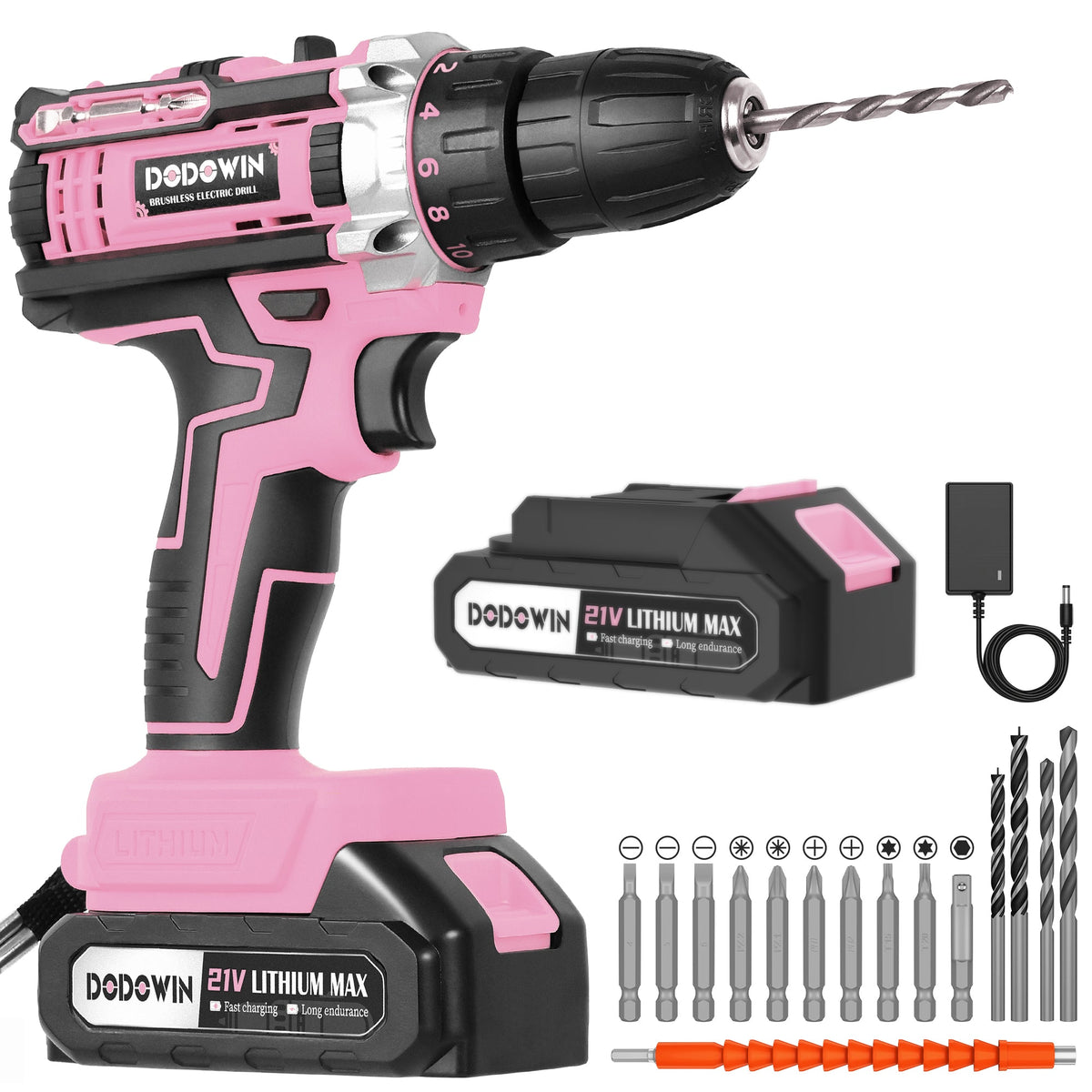
Quick answer
Switch off the drill and remove the battery. Turn the keyless chuck sleeve counterclockwise to open the jaws. Seat an approved bit, turn the sleeve clockwise to tighten the jaws, and check that the bit is centered before reconnecting power.
Find the sleeve and the jaws
The chuck grips the bit at the nose of the drill. The numbered ring behind the chuck is the clutch adjustment. It changes the screwdriving setting, so turning it does not open the chuck.

Change the bit by hand, with the battery out
- Wait for all movement to stop and remove the battery. If the bit is hot, let it cool before handling it.
- Open the jaws using the sleeve as the manual describes. Choose a bit approved for the chuck and the material or fastener.
- Seat the bit between the jaws, then tighten by hand with the sleeve. Visually check centering and gently check that the bit does not slip before reconnecting the battery.
Stop if the sleeve or bit will not move
Check that you are holding the sleeve rather than the numbered clutch ring. If hand pressure will not open it, stop. Do not use the motor to pry the jaws open, and do not clamp or strike the chuck. A damaged bit or chuck calls for service. Tell support which kit you own and whether the problem began after a bit change.
Check the model and kit on the pink DZ3 drill listing.
Related guide: Set the DZ3 Drill Clutch for Furniture Screws.
FAQ
Do I need a separate chuck key?
No. For this keyless style, the DZ3 instructions show hand operation of the sleeve.
Can I hold the sleeve and use the trigger to tighten it?
Change the bit with the battery removed and use the manual’s hand-tightening steps.
Sources
- DODOWIN DZ3 owner’s manual, PDF p. 4 (controls), p. 6 (installing or removing a bit), and current pink DZ3 gallery.