
Guides · 6 min read
Cordless Leaf Blower Stops Suddenly: Safe Checks Before You Restart
Work through safe external checks, record the symptom, and know when the next step is service.
Quick answer
Stop and inspect only what the manual permits: the specified battery, its seating, visible damage, and accessible external airflow restrictions. Repeated shutdown or abnormal heat, smell, swelling, or vibration calls for service, not repeated testing.
- Remove the battery before permitted cleaning or adjustment.
- Identify the exact configuration before applying a manual or charger guide.
- Do not bypass a cutoff, open a pack, or diagnose a fault by repeated restarts.
Stop before trying another restart
A cordless leaf blower that stops unexpectedly is not automatically broken, and a charged-looking battery does not prove that the whole system is working correctly. Start with safe external checks. Do not repeatedly pull the trigger, open the battery, or bypass a switch to find out what happens.
If you notice smoke, a burning smell, a swollen or leaking battery, abnormal heat, or new vibration, stop using the equipment. Do not charge or test a suspect pack. Keep clear of an immediate hazard and contact the manufacturer or an appropriate service provider for guidance.
1. Make the blower safe to inspect
Release the trigger, switch off the tool as instructed, and wait for all moving parts to stop. Remove the battery if it is safe to handle and the manual permits it. Do not touch a damaged or dangerously hot pack. Keep fingers and objects out of the inlet and outlet.
The DODOWIN LB6 instructions require battery removal before cleaning, adjustment, or storage. They also warn against wet operation, blowing harmful dust, and using the inlet to vacuum debris. These are operating limits, not steps to work around during troubleshooting.
2. Check the exact battery and its seating
Confirm that the battery is specified for your blower configuration. Inspect accessible surfaces for damage. A pack that merely slides onto a tool is not necessarily compatible with its electronics or charger.
With the tool off, follow the manual to remove and reseat a sound battery. Do not force it. Check accessible contacts for obvious contamination or damage; follow the battery instructions for cleaning. Do not insert metal tools into the ports or scrape terminals.
If the pack needs charging, use only its specified charger and follow its temperature and charging instructions. Do not interpret a light color using another brand's chart. The LB6 booklet includes charging guidance for more than one battery configuration, so identify your actual pack and charger first.
3. Look for external airflow restrictions
With the battery removed, look for loose leaves covering the outside vents or a visible obstruction in an accessible nozzle. Clear only what can be removed using the owner-maintenance procedure. Do not reach into the fan, insert a tool through a grille, or remove housing screws.
If an object appears to be inside the blower or a part is damaged, stop and ask for service. Do not run the blower with a guard, tube, or other required part removed as a diagnostic experiment. The LB6 instructions call for unobstructed vents and a securely installed nozzle.
4. Consider the conditions without assuming the cause
Battery condition, temperature, load, poor seating, and equipment faults can affect operation. A pause followed by a successful restart does not identify which one caused the stop. Follow the operating and charging limits supplied with your exact equipment.
This guide does not claim that every LB6 configuration has a particular thermal cutoff or reset procedure. Do not put the tool or battery in a refrigerator, apply heat, or swap packs repeatedly to defeat a shutdown. If normal operation does not resume after the manual's permitted checks, contact support.
5. Know when the checks are finished
| Observation | Next action |
|---|---|
| The specified battery is discharged | Charge it according to its instructions; inspect for damage first. |
| A sound battery is not seated correctly | Reseat it only as described in the tool's manual, with power off. |
| Loose debris covers an external vent | Remove the battery and perform only permitted external cleaning. |
| Smoke, swelling, leakage, abnormal heat, or vibration | Stop use. Do not keep testing or charge a suspect pack. Request safety/service guidance. |
| Repeated shutdown after permitted checks | Ask for service rather than opening the tool or replacing parts by guesswork. |
Give support a useful symptom record
Record the model and selected kit, the battery and charger labels, whether the pack was charged according to its instructions, the outdoor conditions, the task, and any indicator shown. Note whether the stop happened immediately or later in normal use. Use an existing observation; do not keep reproducing a fault to obtain a precise runtime.
A label photo and a short description are often more useful than “it does not work.” If support requests a video, follow their guidance and do not film unsafe operation or a damaged battery.
Check your DODOWIN configuration
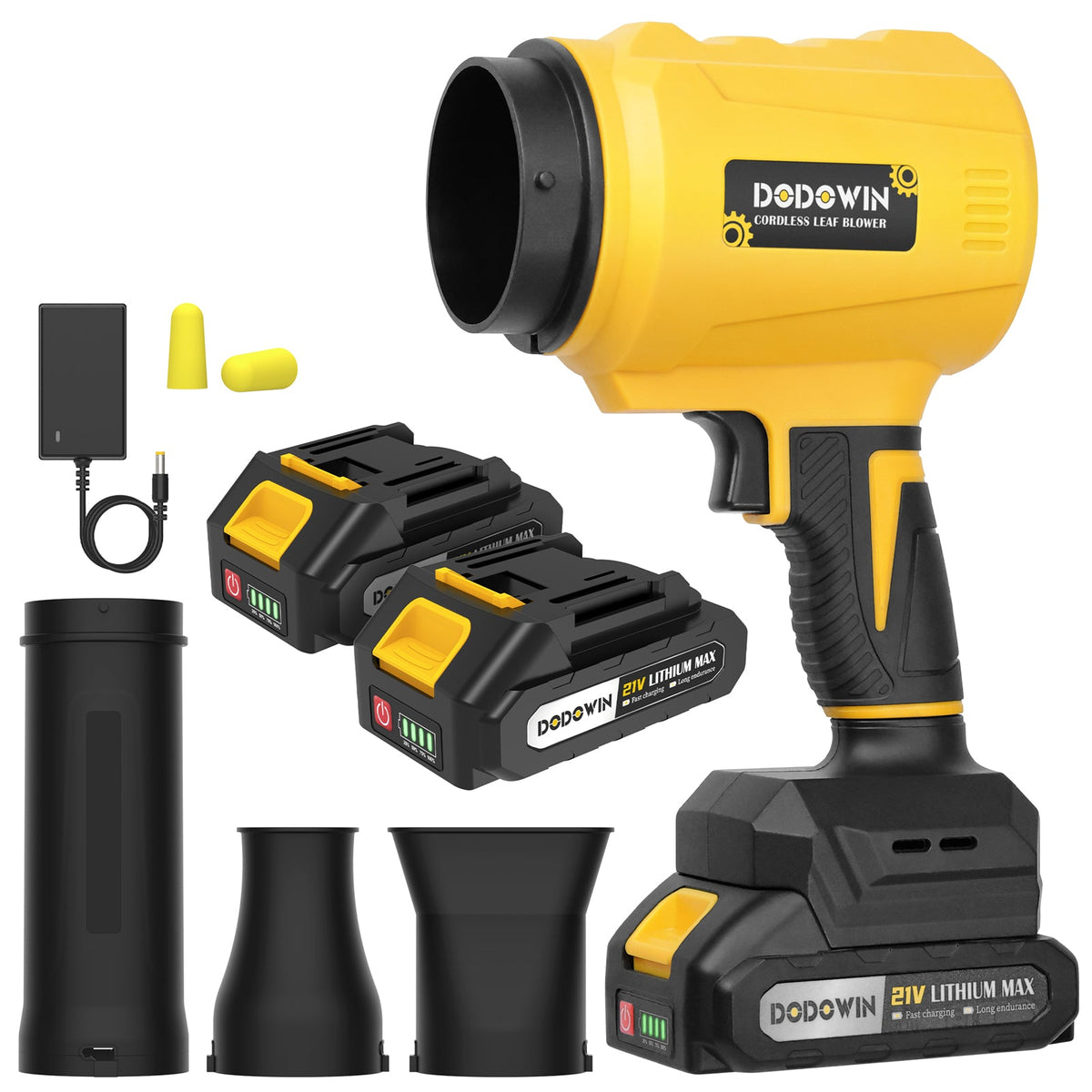
The DODOWIN blower listing contains several configurations. The yellow and green LB6 options and the compact black option have different outlet arrangements; the black variant is recorded under an LB4 SKU. Use the exact option and label when asking about a nozzle, battery, or charger. Do not apply an LB6-A illustration to every variant on the page.
For DODOWIN support, use the contact page. Once a problem is resolved, a regular external-cleaning and storage routine can help you notice damage before the next job.
Related tool / LB6
DODOWIN LB6 Cordless Leaf Blower Kit
Check the exact option, kit contents, and supplied instructions before choosing.
View tool and kit options ↗Frequently asked questions
Does a sudden stop prove the battery is bad?
No. It is a symptom rather than a diagnosis. Check only the owner procedures and ask support if it continues.
Can I use a larger battery to stop the shutdowns?
Do not choose a battery by size or voltage alone. Use only a pack specified for the exact configuration, and do not use another pack to work around a fault.
Should I open the housing to clear the fan?
No. Keep fingers and objects out of the inlet and outlet. If the obstruction cannot be cleared through permitted external maintenance, ask for service.
Do all options on the LB6 product page use the same instructions?
Do not assume so. The compact black configuration has an LB4 SKU, while yellow and green options have LB6 SKUs. Match the exact variant and labels.
Sources and scope
- DODOWIN LB6-A supplied user manual: safety, maintenance and charging
- DODOWIN blower configurations
- STIHL: leaf blower safety
Prepared from the named documents and current product records. No hands-on performance test is claimed.